100% Local Data Recovery in Louisville
Logical recovery from $249 • most advanced recoveries $399–$499 • free diagnosis, and no data means no charge
Can't get to your data? Hard Drive Failure? Freaking out?
Relax. I'm right around the corner.
Let me guess. You've called around, only to discover that A) everyone is misrepresenting themselves as being "local," but will actually send your drive off to some other state for recovery, and B) it'll probably cost you thousands.
The first step doesn't have to be sending your drive to a full-blown data recovery company with a Class 100 clean room who blows 20% of their annual budget on marketing. Fact is, the majority of drives do not require disassembly in a particle-free environment to recover.
Regardless, many data recovery companies still charge $700—$1,300 to recover failing drives, even if they don't have to use the clean room. That profit goes right back into their relentless advertising.
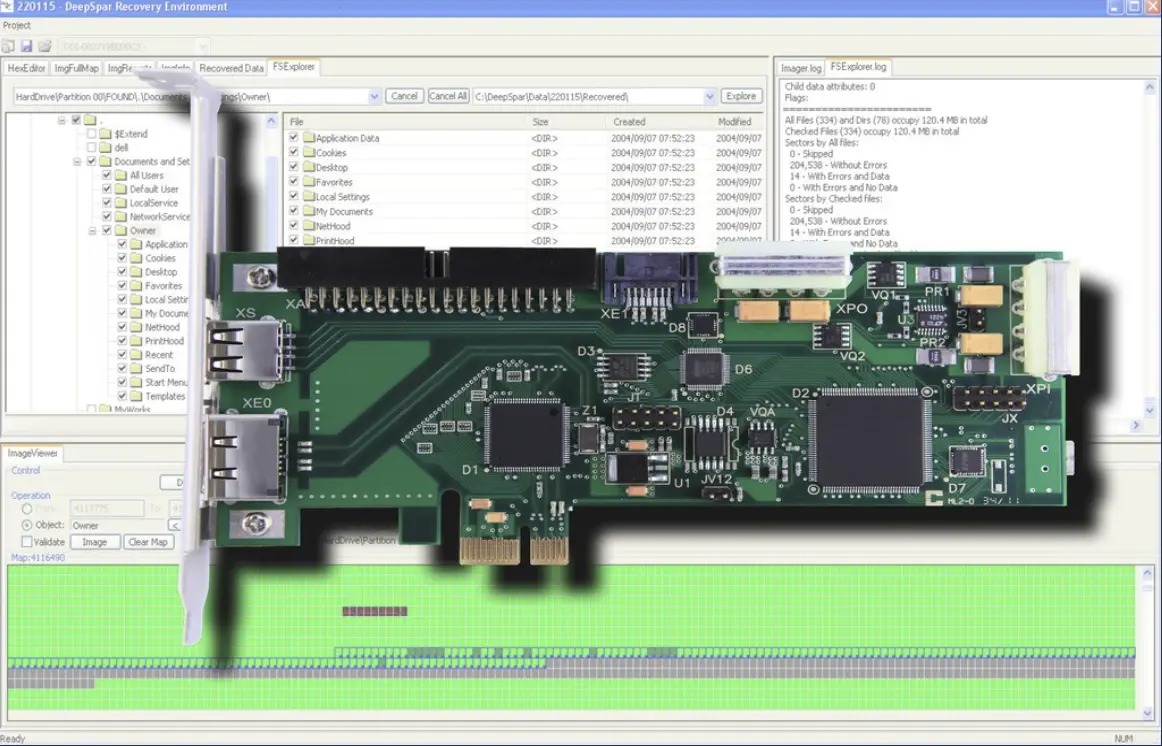
My approach is different. If your drive initializes properly, chances are, I can get your data for you, and for far less than the average data recovery company. I use the same equipment they use (starting with $5,000+ DeepSpar Drive Imaging workstations, firmware correction tools, and many thousands of dollars of software) and I have years of experience in recovering all sorts of data from all sorts of drives, complex RAID arrays, and filesystems. I do not advertise.
If I can't recover your data, you don't owe me anything.
Yep—the diagnosis is completely free and as noninvasive as possible. A few bullet points:
|
Nearly all advanced recoveries are $499 or less Logical recoveries are as low as $249 If I can't recover your data, you owe nothing I use the same equipment as the big guys I can recover many failing flash drives and SSDs I can recover Mac drives of nearly all types |
I can recover from nearly any drive I can recover from nearly any filesystem I can recover deleted files I can quickly recover the most critical data I can stabilize unstable USB drives I can recover encrypted drives, including FileVault and BitLocker |
Don't risk your recovery with any other IT company.
Aside from the aforementioned high-dollar recovery companies, plenty of other local shops exist which also can recover data—sometimes. The difference between me and them, however, is pretty significant. Beware of the usual methods. If your drive is failing, every attempt to access it jeopardizes its health further and reduces the chances of a successful recovery.
Most IT shops use basic software packages to image and recover data. I use the state-of-the-art in recovery equipment—the same equipment as the expensive data recovery firms. Because of this, many local shops quietly outsource to me.
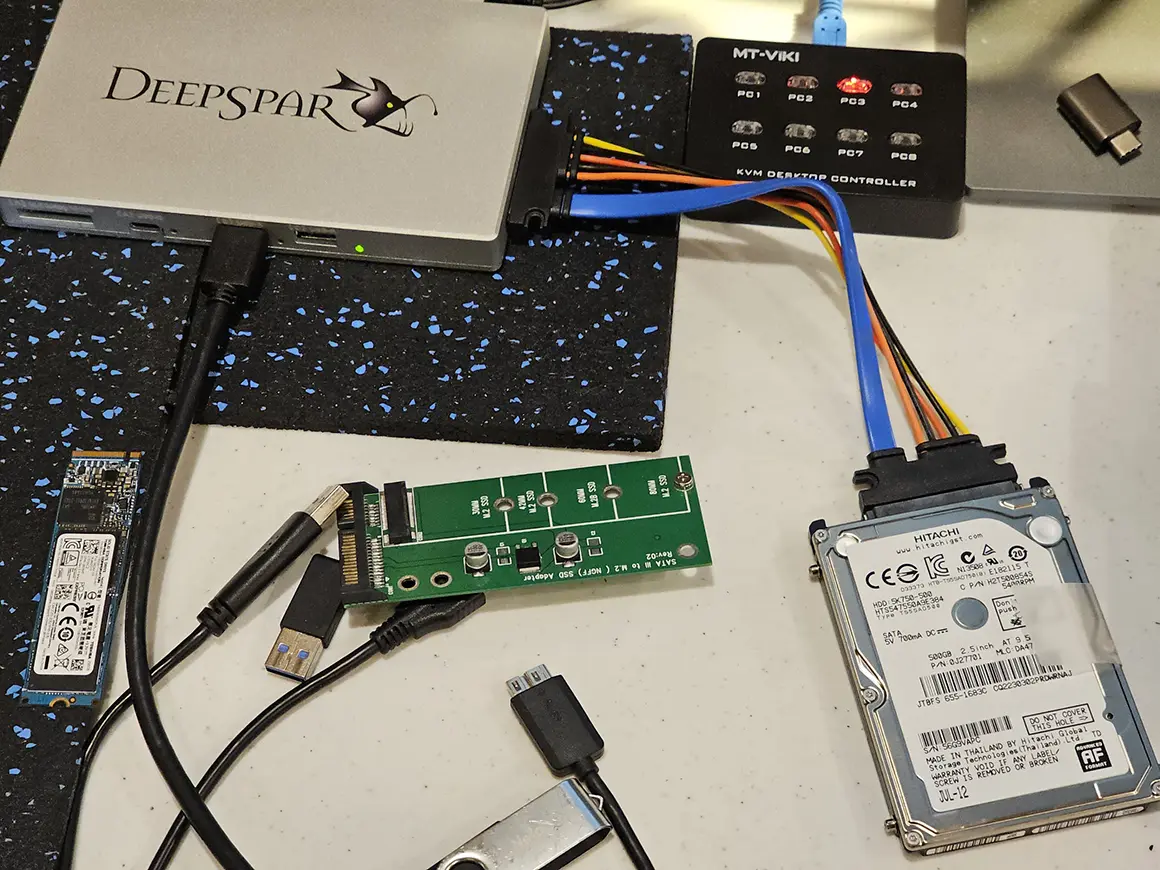
This makes a huge difference. The equipment I use—starting with what's called a DeepSpar Disk Imager—is literally unparalleled in its abilities. It allows me to minimally interface with endangered drives before and during recovery.
Imaging a drive the right way, using the professional equipment I personally own.
Free diagnosis. No recovery = no charge.
I'll tell you exactly what's wrong, what it will cost, and whether recovery is possible—before any work begins. If I can't get your data, you owe nothing. No hidden fees, no "diagnostic charges," no surprises.
How a Typical Recovery Works
Here's an example of how a typical recovery might go:
- 1.I connect your drive to a DeepSpar imaging workstation and perform a diagnosis.
From this, I can immediately tell whether or not recovery is possible using my equipment. Something like 80% of the time it is! If it isn't, I'll contact you and inform you of the likely cause of failure and where I'd take it next. This will probably still save you a small fortune.
- 2.I disable internal drive functions which can heavily tax the drive. I tweak firmware if needed.
Some of the corrections I make include SMART data functions, bad sector reallocation, read-ahead, and all manner of much more sophisticated firmware corruption. Sometimes, this is necessary for the drive to even ID and populate for imaging, but even in other cases, this makes life easier on the drive during recovery and reduces the chances of premature failure. With my specialized and expensive tools and extensive experience, I can use the drive's serial port to communicate with it and issue specialized commands to disable or reset corrupted or problematic functions or components. Some recoveries require a combination of tools for optimal results.
- 3.I perform a heads map on the drive.
This procedure does not work the drive mechanically at all; it is performed entirely with the help of the on-board firmware of the drive. Once a heads map is performed, I can test the drive to identify failing or damaged heads. This allows me to image data on the good heads first, which increases both imaging speed and the odds of recovering the most critical data before complete failure.
- 4.I perform a media test and check the health of each individual head.
This is a quick surface scan of the drive that enables me to proactively identify obvious mechanical issues with the drive.
- 5.Where possible, I target sectors specifically correlated with your data.
Getting the most critical data first is, well, critical to a successful recovery. Using the DDI and other sophisticated tools (as well as extraordinarily powerful collaborative software packages), I can image filesystem structures to determine the exact location of every file and folder on the drive. I can then use that structural information to pinpoint the most valuable data and select it for imaging first. Once the data has been identified, I make a single pass through the drive, sequentially, and collect the data along the way, skipping everything else for secondary or tertiary passes. This is the best approach to get your data before the drive degrades further.
- 6.I perform a full image on the remaining data.
If the drive's health allows for it, I'll then go for the rest of the remaining data. If the drive's in really bad shape, this can take days or even weeks to complete. If it looks like it will take longer than a few days, I'll call you to discuss whether or not it's worth recovering additional data for a higher cost.
- 7.Finally, any logical data recovery is performed on the resulting image.
In other words, repair of damaged filesystem structures due to unreadable sectors, recovery of deleted files, or so on. This is the step where all of that takes place, and it is performed on the healthy new copy of the drive, not on the failing original drive (as is often done elsewhere). Here's the critical point surrounding this final step: this is the step where most every other technician actually begins their recovery work—and that's why they so frequently lose customer data and kill drives!
By the way—the software I possess to accomplish this task is no joke, either. I don't just use some low-level, cheap stuff: I own countless data recovery industry staples like R-Studio Technician and UFS Explorer Professional Recovery, and I've got many years of experience using them.
When all's said and done, I'll contact you to let you know how successful the recovery was. At that point, you can decide whether or not we've got the data you need. If so, in most cases, the price is often under $500 for everything—nothing more. Affordable? Yes. Professional? Absolutely.
If by chance I can't interface with the drive (which happens with perhaps 15 to 20% of the drives I receive), I'll recommend our next step. Chances are, I can still save you hundreds on the recovery by recommending the ideal recovery approach for the symptoms (for instance, if the drive doesn't have to be taken apart, we can often still have it recovered for under $700).
Worst-case scenario, if it needs to be disassembled in a particle-free environment, that will be the last resort. But the most important thing is that the diagnosis using these tools is much easier on the drive than just about any other recovery process imposed by other tech firms. It's just another way that I'm living the philosophy of giving my customers what they need in the most honest, logical, and affordable way possible.
What Types of Media I Recover
If it stores data, chances are I've recovered from it. Here's a rundown of the types of media I handle regularly:
Hard drives — both 2.5-inch (laptop) and 3.5-inch (desktop) SATA and IDE drives (and even 1.8-inch!), including drives pulled from dead laptops, desktops, and iMacs
Portable and internal SSDs — including popular models like SanDisk Extreme, Samsung T-series, and many others
External hard drives — USB and Thunderbolt enclosures of all types; I'll disassemble the enclosure if needed to access the drive directly
USB flash drives — including some drives with electrical or firmware failures
SD, microSD, and CompactFlash cards — camera media of all types, including recovery of RAW photo formats (CR2, NEF, ARW, RAF, ORF, and all others)
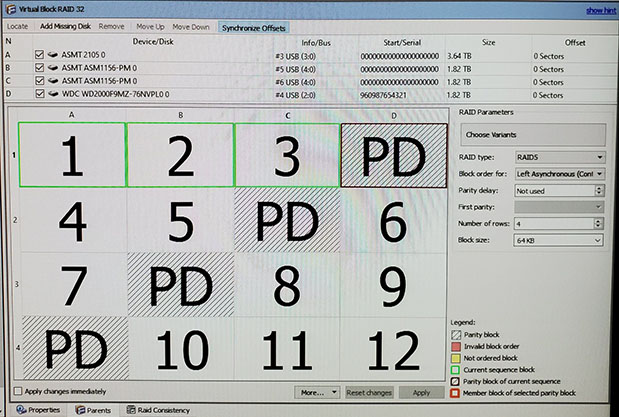
RAID arrays — RAID-0, RAID-5, RAID-6, RAID-10, and other configurations, including NAS enclosures
Apple/Mac drives — including APFS and HFS+ volumes, Fusion Drive arrays, and FileVault-encrypted drives (with your password or recovery key)
Encrypted drives — BitLocker, FileVault, and other encrypted volumes (customer-provided decryption keys required)
Filesystem Support
I recover data from practically any filesystem you can throw at me: NTFS, exFAT, FAT32, FAT16, APFS, HFS+, ext2, ext3, ext4, Btrfs, XFS, ZFS, UFS, ReFS, and others. Whether it's a Windows machine, a Mac, a Linux box, or a NAS appliance, the data is the data, and I have the tools and experience to get it back.
Turnaround Time
How long does a recovery take? Honestly, it depends entirely on the physical condition and capacity of the media involved. Turnaround is governed by the actual read speed of the damaged drive—and with failing hardware, that process cannot be scientifically rushed without risking further data loss. A logical recovery on a healthy drive can sometimes be completed within a day. A mechanically failing drive might take several days of careful, monitored imaging. Severely damaged drives or large multi-drive RAID arrays can take a week or more.
The good news: I maintain multiple professional imaging channels capable of running simultaneously, so your project gets dedicated attention and doesn't sit in a queue waiting for hardware to free up. I'm attentive, efficient, and experienced in this work—and I'll keep you updated throughout the process.
What I Don't Do (and Why That Matters)
I believe in being completely upfront about my capabilities, because that's what I'd want from a service provider working on my own data. There are a few things I specifically do not handle:
I do not perform cleanroom drive disassembly, head swaps, or platter-level work.
I do not perform chip-off recovery (desoldering NAND chips for direct reading).
I do not take payment and then quietly ship your drive to someone else.
If your drive requires any of the above, I'll tell you immediately and honestly—and in many cases, I can still save you money by providing an accurate diagnosis and referring you directly to the right lab for the job. No runaround, no "we'll try and see," no surprise bills. Everything up to the cleanroom threshold? That's my territory, and I've got the equipment and the track record to prove it.
Honesty isn't just policy—it's the whole point.
I'd rather tell you what I can't do and save you money than take your money and waste your time. That's why other local shops quietly send their hardest cases to me—and it's why my 6,000+ client base was built entirely by word of mouth.
Real Recovery Examples
Every recovery is different, and I document every one meticulously. Here are a few anonymized examples from recent work to give you an idea of what I handle:
Failing Laptop Drive — 100% Critical Data Recovered
A client brought in a laptop that had suddenly lost access to years of family photos. I disassembled the machine, removed the internal 2.5-inch hard drive, and connected it to my DeepSpar Stabilizer 10Gb. The drive had bad sectors and registered errors immediately, confirming mechanical degradation. I built a filesystem map first, targeted the critical photo data for priority imaging, then made multiple passes to collect everything else. Result: 100% of the critical data recovered—all thanks to the multi-pass approach and professional imaging hardware that kept the drive stable throughout.
Unresponsive 4 TB Portable SSD — Full Recovery
A portable SSD arrived completely unresponsive—it wouldn't even show up on a computer. Using my DeepSpar USB Stabilizer 10Gb and specialized algorithmic techniques, I eventually coaxed the drive into initializing. From there, I mapped the filesystem, targeted the user's data for priority imaging, and over the course of several days, collected a complete forensic image. Result: 100% of the user data recovered from a drive that most shops would have declared dead on arrival.
8 TB RAID-0 Array — Exotic Stripe Size, Previous Failed Attempts
A client's external RAID enclosure had stopped functioning, and previous recovery attempts (including an accidental macOS initialization) had destroyed the RAID metadata. I imaged both drives forensically, then spent the better part of a weekend hunting for the RAID parameters. The stripe size turned out to be an extraordinarily uncommon 512 bytes—something no automated tool would have guessed. Once I identified it, I reassembled the array and recovered nearly 6 TB of data. This is the kind of case where experience, persistence, and the right tools make all the difference.
Six-SSD RAID-10 Server Array — Every File Recovered
A manufacturing client’s RAID-10 array, the datastore behind its VMware servers, went offline after two drives dropped out of the set about three hours apart. Letting the controller rebuild or import the array could have overwritten the very data they needed, so I imaged all six drives, rebuilt the array virtually from its own metadata, and extracted every virtual machine. Result: every file on the volume recovered intact at the filesystem level. Total: $2,629 ($399 per drive plus a small additional charge).
A Drive That Smoked and Rattled — 424 Bad Sectors out of Six Billion
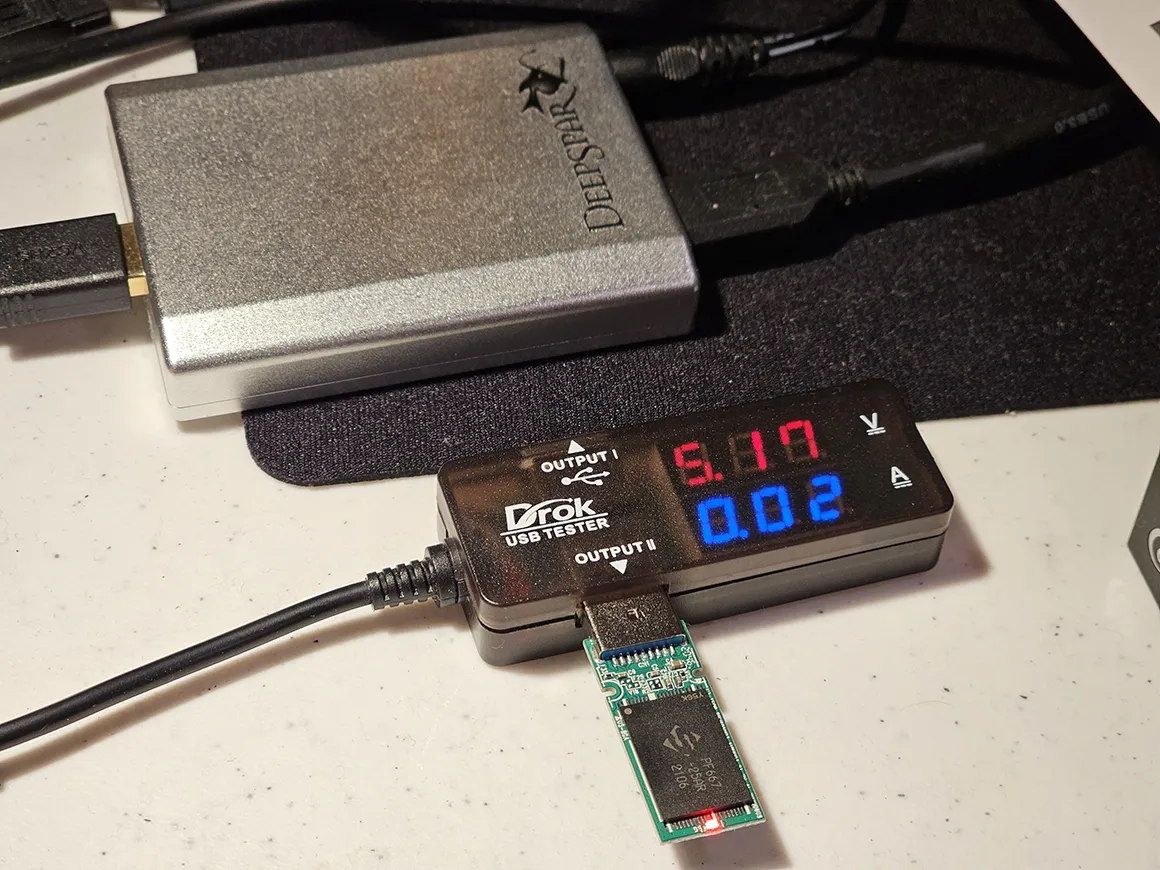
A 3 TB Seagate gave off smoke when its owner connected it to an adapter, and something loose rattled inside. I deliberately didn’t open it—opening a drive outside a cleanroom destroys future recovery options. Instead, I powered it on my DeepSpar Disk Imager with live current monitoring and short-circuit protection, and to my honest surprise, it initialized. A full day of multi-pass imaging later, only 424 of roughly six billion sectors were unreadable. Result: essentially 100% recovered, about 800–900 GB. Total: $399.
Power-Surge Victim — A Clean 100%
A 2 TB Seagate Barracuda wouldn’t spin up at all after a suspected power event. The drive’s TVS diode—a sacrificial part designed to short itself out to absorb a voltage spike—had done its job and failed. With the owner’s go-ahead, I removed the failed diode, confirmed the drive spun up on the first attempt, and imaged it on my DeepSpar USB Stabilizer 10Gb with current monitoring the whole way. The client’s own destination drive reported a SMART “Caution” status, so I set it aside and supplied a healthy replacement at well below my own cost. Result: 435 GB, recovered completely. Total: $499 ($399 flat plus $100 for the board work).
Firmware Fighting the Recovery — 38,727 Files Saved
A severely failing 2 TB drive kept shutting itself down mid-read as its own firmware reacted to widespread bad sectors. I worked at the firmware level to keep it stable long enough to finish—work that had to be redone every time the drive dropped and restarted—and imaged the priority data in targeted fashion. Result: 38,727 files (326.6 GB) confirmed good and complete, roughly 89% of the priority files, plus a small set of partially damaged videos. Total: $499 ($399 flat plus $100 for the firmware work).
Data Recovery FAQ
Can you recover data from a drive that another shop said was unrecoverable?
In many cases, yes. Most shops use basic software tools and give up when those fail. I use professional hardware imaging equipment—including DeepSpar Disk Imager, USB Stabilizer 10Gb, and MRT Ultra—that can often interface with drives that consumer and prosumer software cannot. Approximately 80% of drives I receive are recoverable with my equipment. If a drive truly requires cleanroom disassembly, I'll tell you honestly—and I can often still save you money by diagnosing the exact issue and referring you to the right lab.
Do you recover data from SSDs and flash drives, or just hard drives?
I recover from nearly all types of storage media: traditional hard drives (1.8-inch, 2.5-inch and 3.5-inch), portable and internal SSDs, USB flash drives, SD cards, CompactFlash cards, external drives of all kinds, and complex RAID arrays. I also recover data from drives pulled out of dead laptops, desktops, iMacs, and NAS enclosures.
What happens if my drive needs cleanroom work?
I'm upfront about this: I do not perform cleanroom disassembly, head swaps, or platter-level work. If a drive requires that level of intervention, I'll tell you immediately—and I can often still save you money by diagnosing the exact failure and referring you to the appropriate lab. My free diagnosis alone frequently saves clients hundreds of dollars compared to sending a drive blind to a national lab. The important thing is that the majority of drives don't actually require cleanroom work—and that's where my equipment and experience make the biggest difference.
How long does data recovery take?
Turnaround depends entirely on the condition and capacity of the media. Logical recoveries on healthy media can sometimes be completed within a day. Advanced recoveries on failing drives often take several days, because the imaging process has to work at whatever speed the damaged drive can safely handle—it cannot be scientifically rushed without risking further data loss. Severely damaged drives or large RAID arrays can take a week or more. I maintain multiple professional imaging channels running simultaneously, so your project receives dedicated attention throughout.
How much does data recovery cost?
Logical recoveries (accidental deletion, reformatted drives on healthy media) start at $249. Most advanced recoveries involving failing hardware are $399—$499. RAID arrays and especially complex cases are higher. I always provide a clear quote before any work begins, the diagnosis is completely free, and if I can't recover your data, you owe nothing.
Do you recover data from RAID arrays?
Yes. I recover from RAID-0, RAID-5, RAID-6, RAID-10, and other configurations. I image each drive individually using forensic hardware, then reconstruct the array using professional recovery software. I've recovered arrays with exotic stripe sizes, failed or degraded drives, and even cases where previous recovery attempts had corrupted the array metadata.
Can you recover deleted files?
In many cases, yes. If the data hasn't been overwritten by new files, I can often recover deleted files from virtually any filesystem. The most important thing you can do is stop using the drive immediately—every new file written to the drive risks permanently overwriting the data you're trying to recover.
What filesystems can you recover from?
Practically all of them: NTFS, exFAT, FAT32, FAT16, APFS, HFS+, ext2, ext3, ext4, Btrfs, XFS, ZFS, UFS, ReFS, and more. If your filesystem isn't listed here, call me—I can almost certainly still help.
Is my data kept confidential during the recovery?
Absolutely. I'm a one-person operation, so your data is never handled by anyone else. I don't outsource, I don't ship drives to other states, and I don't share your information with third parties. Your data stays in my care from start to finish.
What should I do if my hard drive is making clicking or grinding noises?
Stop using it immediately. Clicking usually means the read/write heads are struggling, and continued use can cause further damage that makes recovery harder or impossible. Don't run consumer recovery software or chkdsk/fsck—that puts additional stress on already failing hardware. Power the drive down, set it aside, and call me at (502) 233-4393. I'll walk you through the safest next steps.
The number is (502) 233-4393. Call me now and see how it ought to be done!